"I have been using this 4-4-2 tactic on the FM2010 demo with Arsenal & had very good results, so thought I would share it!
Beating Liverpool, Tottenham, Man City, Man U & knocking 4 past Chelsea at The Bridge! A few 7-0 & 9-0 wins in the Champions League Qualifying rounds too with a 2nd Team on show."
DOWNLOAD
Learn More
copyright@Maj'sBlog'09
[Read More...]
4-4-2 Tactic for FM 2010

3-4-2-1-tactic-for-fm-2010
"This tactic has been working rather well for me in my Tottenham Hotspur game.
3 DCs
2 DMCs (deep playmakers, their thru balls are killer, think Miguel Veloso)
ML/MR (defensive wings)
2 AMCs (i got argentinians for this pos, matias defederico and lavezzi)
1 FC (defensive setting)
I also have 1 AMC swapping with the FC, and the FC to swap with the other AMC. And all those 3 players are strikers.
The team is set to play very rigid and moderately narrow. This keeps the wings from being exposed"
Learn More
copyright@Maj'sBlog'09
[Read More...]
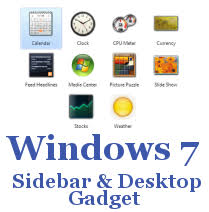
Best desktop Gadgets for Windows 7 again
With Windows Live ‘What’s New’ gadget, you can get all the latest updates from Windows Live and other web activities of your network.
Windows Live ‘What’s New’ Gadget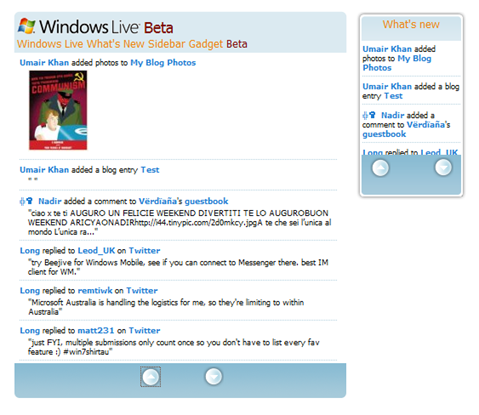
The Windows Live What’s New Sidebar Gadget (Beta) is a Vista gadget that displays your Windows Live “What’s New” feed on your desktop. You can receive real-time updates on what your friends are doing across multiple social networks right from your desktop. Be the first to know when your friends upload photos, add new friends to their networks, change their status messages and post comments. It’s quick and easy to add the Windows Live What’s New Sidebar Gadget (Beta).
Surely Windows Live team could have done a better job on the looks. This gadget isn’t pretty but it does the job well, displaying all the feed items including thumbnail images from Windows Live Home. Download it from Windows Live Gallery or download the complete Gadgets Pack here.
Simple Search Bar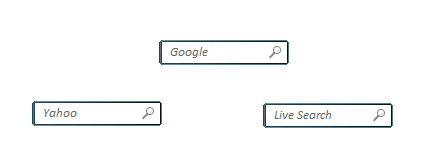 As the name implies, this search gadget is truly the most simple & clean search gadget out there which lets you search the web using Google, Yahoo and Live Search. Download it from Windows Live Gallery or download the complete Gadgets Pack here.
Download Top 5 Must-have Sidebar Gadgets Pack for Windows 7
Learn More Windows® 7 Inside Out

copyright@Maj'sBlog'09
[Read More...]
Best desktop Gadgets for Windows 7
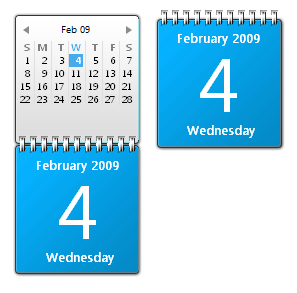
Remote Desktop Gadget Remote Desktop Gadget enables Windows users to remotely connect to other computers in their network right from the privilege of their desktop. It uses Remote Desktop Connection client on Windows to achieve remote desktop computing. It is simple and acts as a great extension to Microsoft Remote Desktop Connection client. Click here to download it. Blue Calendar Gadget for Windows 7 “rapha2” over at DeviantArt has modified the original Microsoft calendar gadget to make it blue in color. This new blue calendar gadget matches the cool bluish-wavy look of Windows 7. This gadget can be downloaded from here or you can download the complete Gadgets Pack here.I have been fond of using gadgets ever since their inception in Windows Vista. With the right gadgets, you can get things done quickly and easily. Unfortunately the development of quality Gadgets has been real slow.
Microsoft is to be blamed for this. The story would have been much different had Microsoft added support for Gadgets development in Visual Studio with a drag-and-drop interface. Now since there isn’t any free quality tool out there for Gadgets development, it is very difficult to find quality gadgets from third parties. Adding insult to injury, Windows 7 Beta includes only one new gadget which is for Media Center. All other gadgets included in Windows 7 are from Windows Vista’s era.
Without going into any further delays, here is my pick for the top 5 must-have Gadgets for Windows 7. Of coarse I use Gadgets other than the ones I have listed below but they are too obvious and common so I haven’t included them in my list:
Twadget (The Twitter Gadget)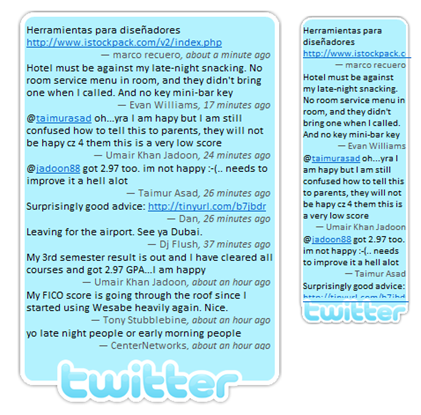 I’ve become a regular user of Twitter over the last couple of months, both on the desktop and on the iPhone. Today I’ve discovered Twadget which looks like another great option for Windows (Vista & 7 only) users. I simply love this gadget. Twadget lets you do basic twitter tasks like sending and viewing all the tweets from your friends right from your desktop. If you’re one of those who use Twitter regularly, Twadget is for you! You can download it from here or download the complete Gadgets Pack here.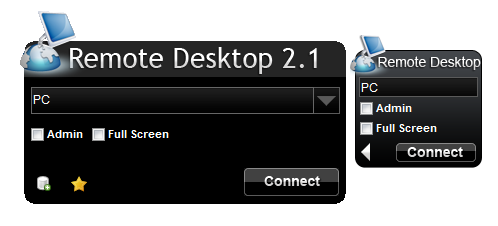
Learn More Windows® 7 Inside Out
copyright@Maj'sBlog'09
[Read More...]
Subscribe to:
Posts (Atom)
Others
| Links | Galery | Other |
 get the code Red Carpet : |
Quote of the Day
provided by The Free Library
|


